Processing and export
Processing with Pipeline Manager
Data processing is managed by Pipeline Manager. DataViewer keeps one processing graph for the active Save Folder. The current file appears at the start of that graph as an input node: it represents the already-open file. Closing Pipeline Manager keeps the graph and last result available until you switch Save Folders or close the viewer. When the viewer shows a result of the pipeline, the pipeline keeps its original input, and re-running an unchanged pipeline skips the finished steps.
To process several recordings, including their import, choose File > Batch pipeline... or right-click the Pipeline Manager button and choose Batch mode...; see Batch mode.
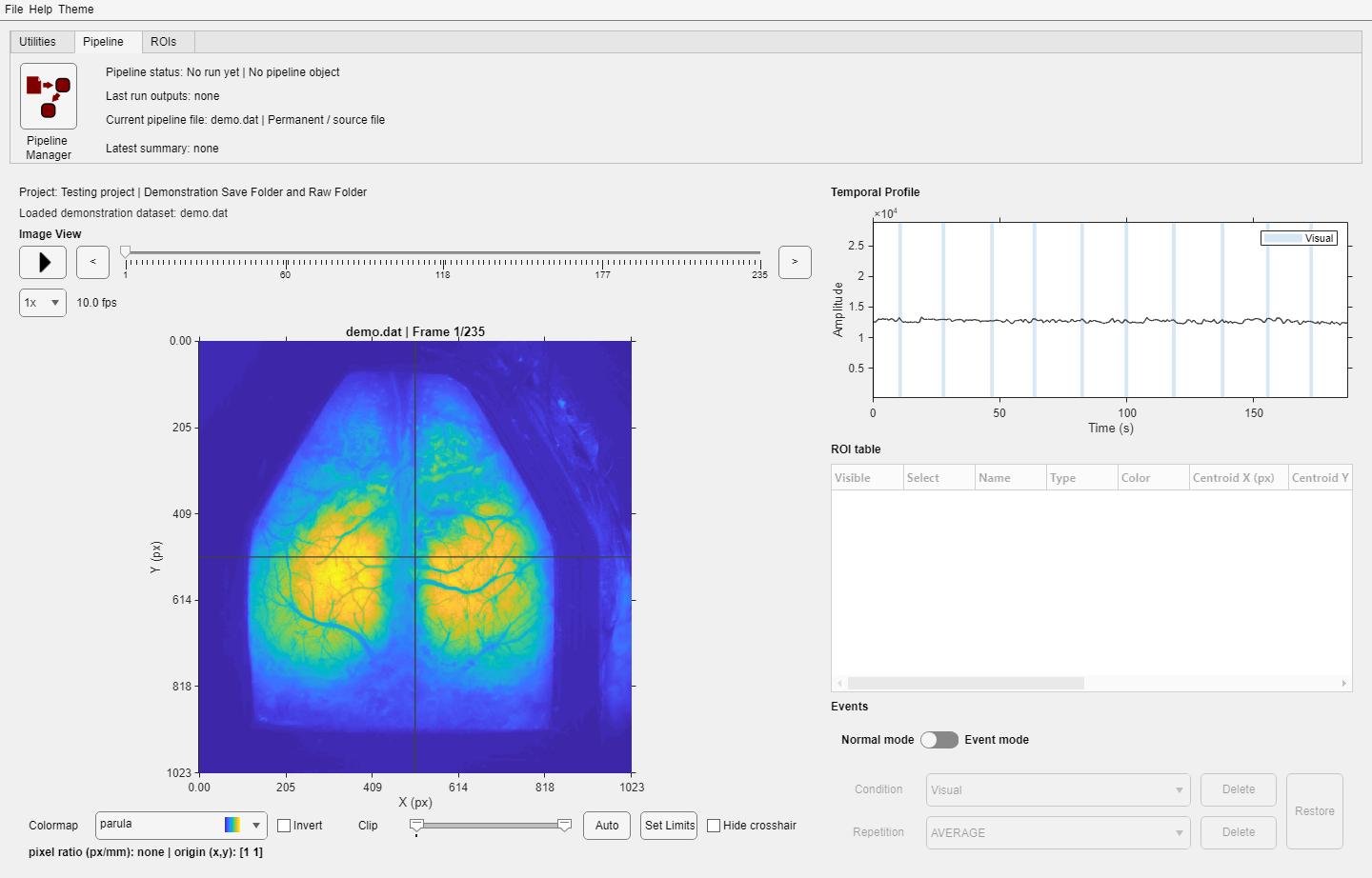
The tab reports the current input file, graph status, last outputs, and latest-run summary.
Returning results
After a run, DataViewer separates permanent, temporary, and viewer-compatible outputs. If several compatible images exist, an output-selector dialog shows file, source step, output name, type, and persistence. Non-image reports and terminal results stay on disk and are summarized rather than opened as images.
Temporary output lifecycle
By default, image results returned to DataViewer are stored as temporary files. This supports quick exploration without filling the Save Folder with every intermediate result. If you do not choose File > Save, the temporary image is deleted when its viewer lifecycle ends—for example, when you switch files, reset the processing context, or close the app after confirmation.
Data History
Choose Utilities > Data History to inspect how the current file was produced. Each row identifies an analysis function, its version, its input sources, its output, and the parameter values used. The information comes from dataHistory.mat and is read-only in this dialog.
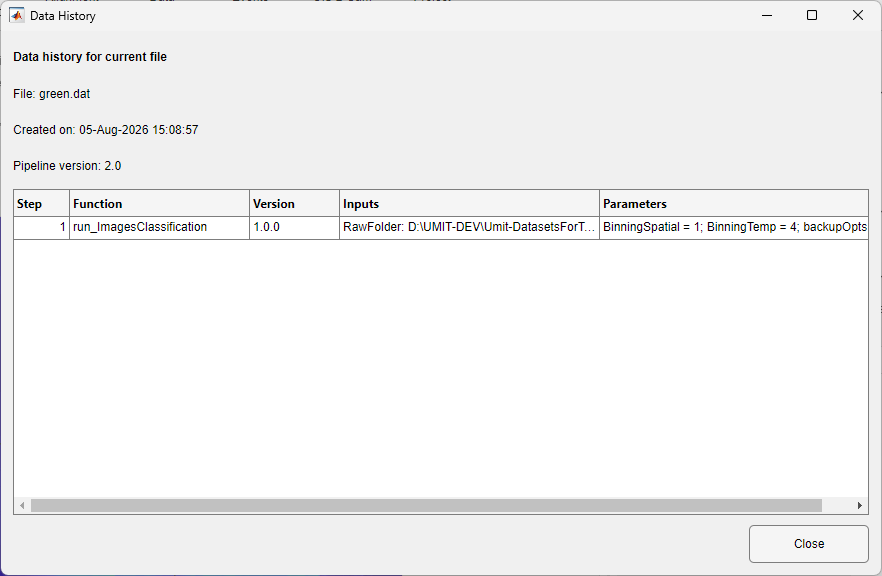
The dialog lists the ordered processing steps, function versions, inputs, and parameters recorded for the current file.
Data export
| Command | Writes |
|---|---|
| File > Save | A selected data file |
| File > Export > to tif | TIFF image data, through ConvertToTiff. Only an open .dat file can be exported; for an open .umt file the command reports "Only .dat files can be exported to TIFF." |
| ROIs > Save | .roi |
| ROIs > Export ROI data | CSV tables |
| Data History | Nothing; displays dataHistory.mat |