Folder rig
This page is for users of rig-dependent processing, for example hemoglobin computation with HemoCompute. Viewing data, ROIs and most processing do not depend on the rig.
Every Save Folder keeps its own record of the rig its data came from: the folder rig ledger (UMITRigLedger.json, see Save Folder metadata files). It is the single source of rig information for that folder. The rig library of your computer is used only to author rigs and to choose one; analysis functions such as HemoCompute read the optics from the folder ledger, never from the library. Opening data in DataViewer never writes to the folder.
Rig states in the context line
![Six context lines showing the rig states unknown (no rig ledger), Rig A, Rig B - CONFLICT, Rig B (committed) [had conflict], none (no rig) and invalid rig ledger](../../assets/img/current/dataviewer-folder-rig-label-states.png)
The rig part of the context line in the different folder states.
| Text | Meaning |
|---|---|
| unknown (no rig ledger) | The folder has no rig ledger, for example data imported by an earlier release. Bind a rig before rig-dependent processing. |
| none (no rig) | The folder was imported without a rig (single-camera data, TIFF import, or dual-camera data imported without coregistration). Bind a rig before rig-dependent processing. |
| the rig name, for example Rig A | The folder is bound to that rig, and no rig-dependent result has used it yet. The rig can be changed freely. |
| (committed) after the name | A rig-dependent step (for example HemoCompute, or a dual-camera import that applied a coregistration) used the rig's optics or coregistration. They are now committed to the folder: rebinding to a rig whose optics differ creates a conflict. |
| - CONFLICT after the name | The folder was rebound to a rig whose optics differ from the committed ones. Rig-dependent processing is blocked until the conflict is resolved. |
| [had conflict] | A permanent mark: the folder had a rig conflict at some point. The details are in the Rig Ledger History. |
| invalid rig ledger | The ledger file is damaged or was edited by hand (see below). |
Management > Rig > Folder Rig
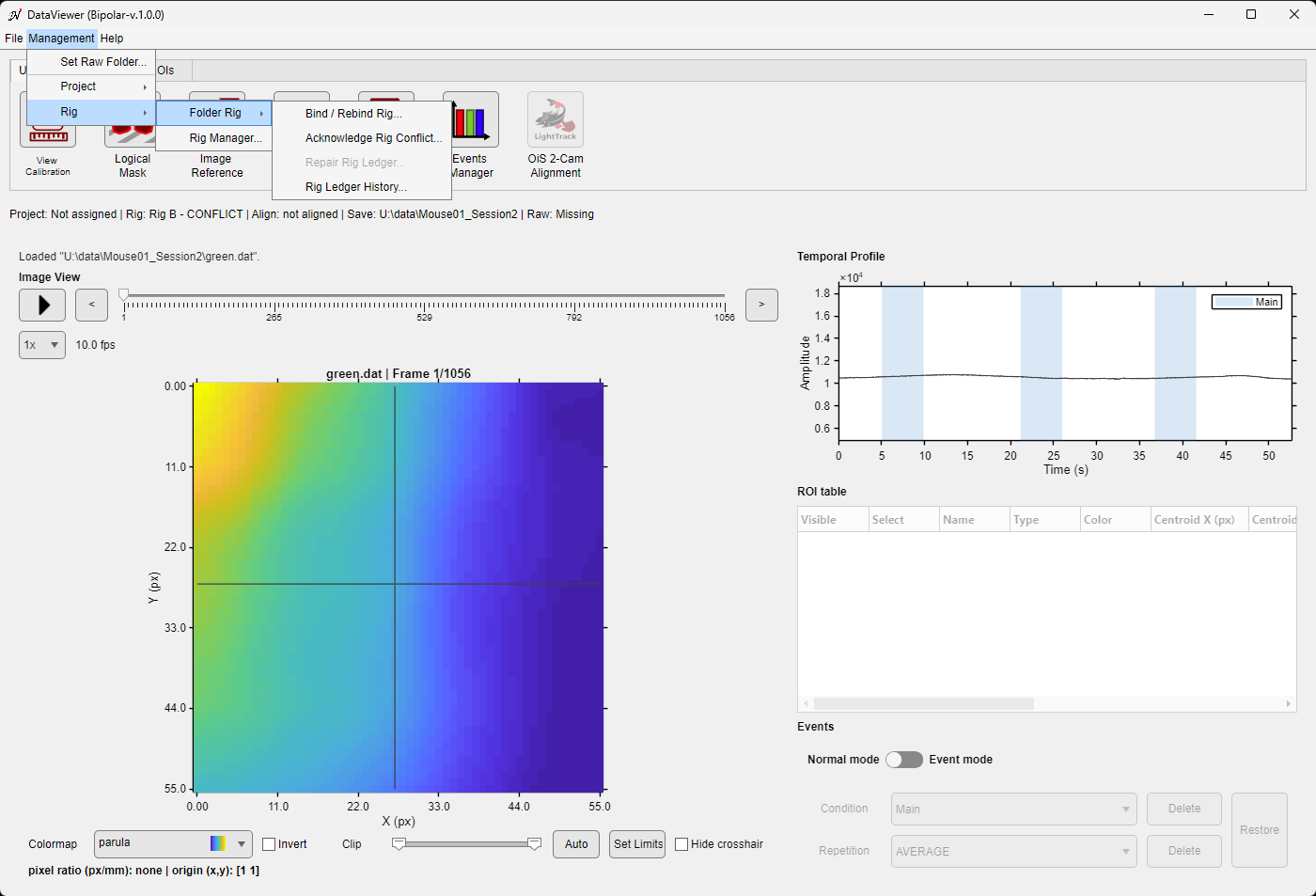
The Folder Rig submenu on a folder in conflict: Bind / Rebind Rig, Acknowledge Rig Conflict and Rig Ledger History are available; Repair Rig Ledger is greyed out because the ledger is valid.
| Command | Available when | Effect |
|---|---|---|
| Bind / Rebind Rig... | Data are loaded | Binds the folder to a rig of the library, or changes its rig (see below). |
| Acknowledge Rig Conflict... | The folder is in conflict | Accepts the current rig for the folder (see below). |
| Repair Rig Ledger... | The rig ledger is invalid | Moves the invalid ledger file aside so that a rig can be bound again (see Invalid rig ledger). |
| Rig Ledger History... | The folder has a rig ledger | Shows every event recorded in the ledger, read-only. |
Bind or rebind a rig
- Choose Management > Rig > Folder Rig > Bind / Rebind Rig....
- Pick a rig. The list holds the Active and Available rigs of the library; the Active rig is pre-selected. Archived rigs cannot be bound.
- Confirm. For a folder without a rig the confirmation only names the rig and the folder. When the folder already committed optics and the chosen rig's optics differ, a warning names both rigs and explains that the folder will become CONFLICTED; choose Rebind to continue or Cancel.
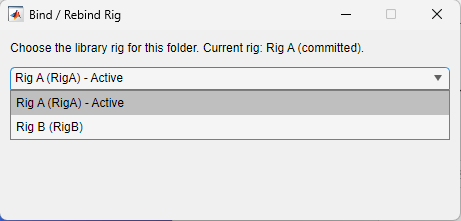
The rig picker, with the Active rig pre-selected.
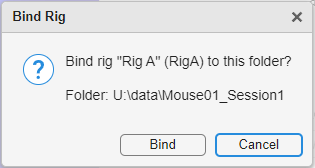
The confirmation for a folder that has no rig yet.
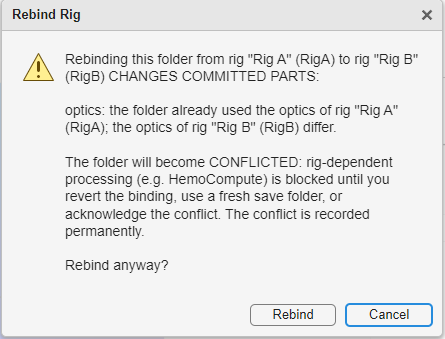
The warning shown before a rebind that changes committed optics.
Binding or rebinding changes the folder's optics only. The camera coregistration of a dual-camera folder stays as it was imported: it changes only through a re-import of the raw data (see ImagesClassification).
Resolve a rig conflict
A conflicted folder can be fixed in three ways:
- Revert: rebind the folder to the rig whose optics were committed.
- Start again: re-import the raw data into a fresh Save Folder.
- Acknowledge: choose Acknowledge Rig Conflict... to accept the current rig for this folder. The dialog explains the conflict; you may enter a comment, which is stored in the ledger. Results computed before the rebind are not changed, but they are not reused either: when a pipeline is run again with step skipping on, rig-dependent steps that ran before the acknowledgement are recomputed. The folder keeps the permanent [had conflict] mark.
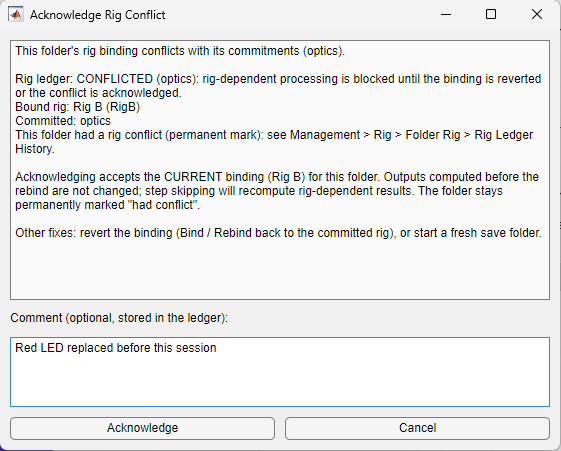
Acknowledging a conflict, with an optional comment.
Rig Ledger History
The history lists the folder, its state and bound rig, then one line per event: noRig (imported without a rig), bind, rebind (with what changed in the optics and the coregistration), commit (which part was committed, and by which step), conflict, acknowledgeConflict (with its comment) and freshImport (a re-import reset the commitments). Rigs are named as they were recorded, so the history reads the same on a computer whose library does not have them.
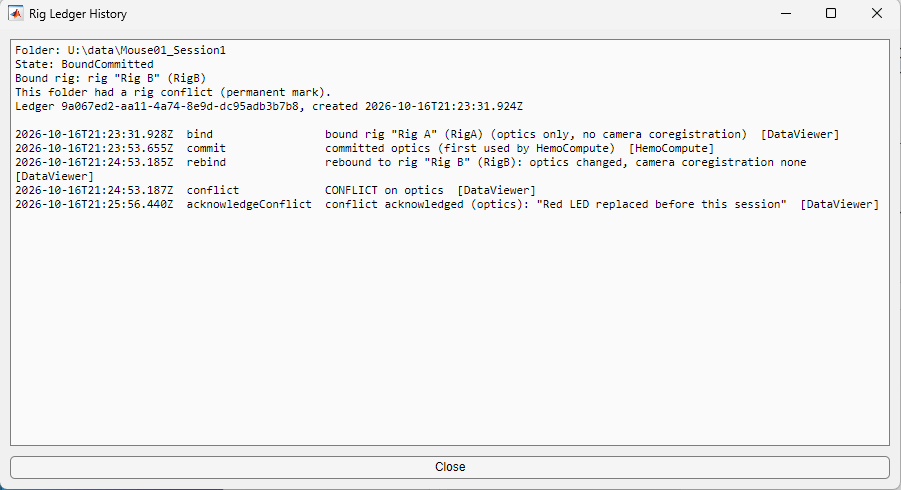
The history of a folder that was bound to Rig A, used by HemoCompute, rebound to Rig B and acknowledged.
Invalid rig ledger
If the ledger file is damaged or was edited by hand, DataViewer still loads the data and shows the alert Invalid Rig Ledger. Rig-dependent processing (for example HemoCompute) is then refused for the folder, and so is a new import into the same Save Folder. You have three ways out:
- restore UMITRigLedger.json from a backup copy of the folder;
- re-import the raw data into a fresh Save Folder;
- repair the ledger with Management > Rig > Folder Rig > Repair Rig Ledger... (below).
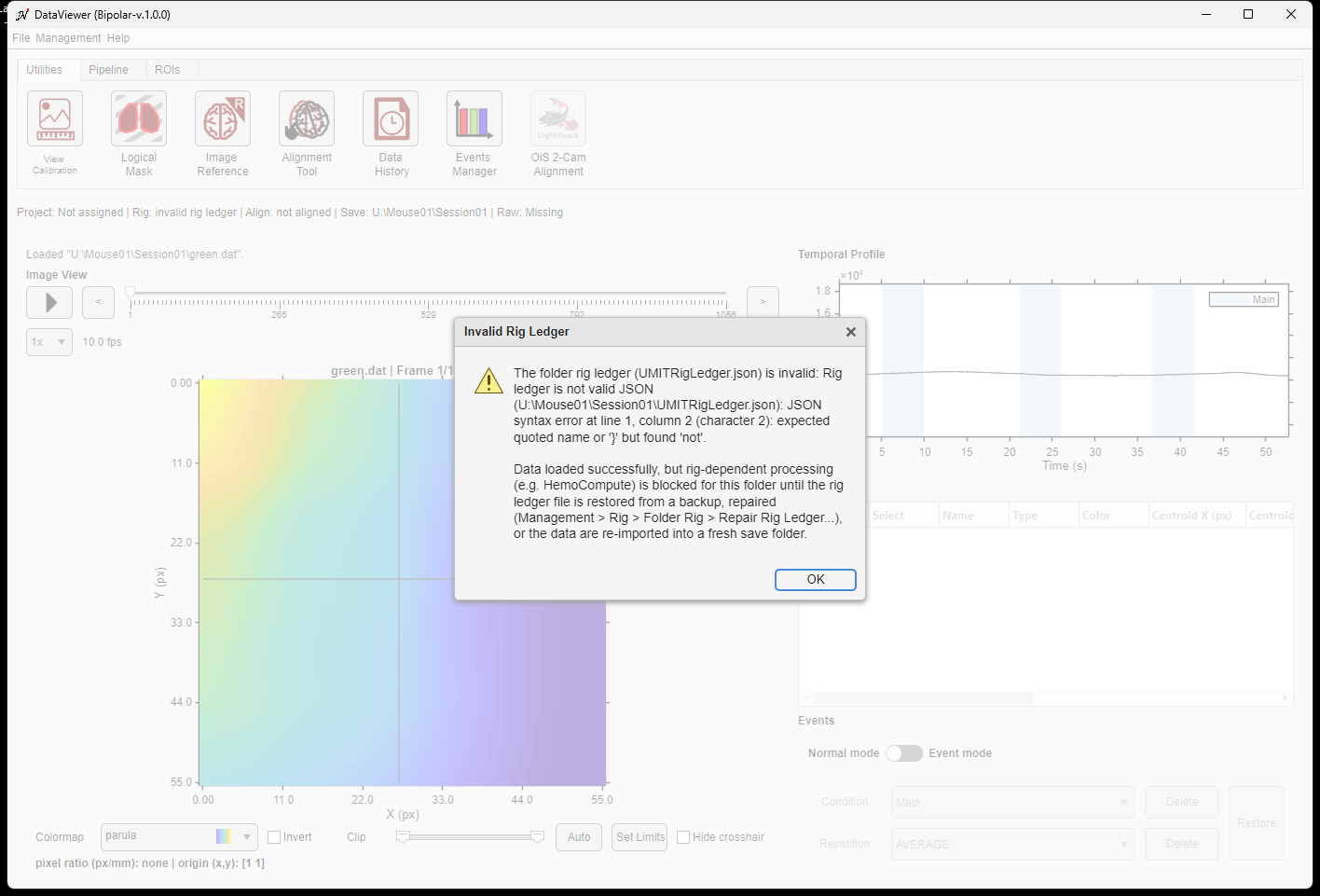
The alert shown when the folder's rig ledger cannot be read.
Repair a rig ledger
While the ledger is invalid, Repair Rig Ledger... is the only enabled command of the Folder Rig submenu: Bind / Rebind Rig, Acknowledge Rig Conflict and Rig Ledger History need a readable ledger and are disabled. The command opens a dialog that lists what is wrong with the file, what repairing does, what is lost, and the other options.
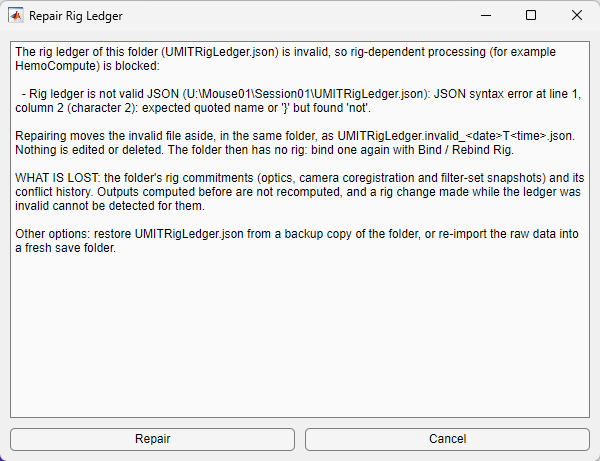
The Repair Rig Ledger dialog for a ledger that is not valid JSON.
- Read the problem and the consequences, then choose Repair (or Cancel: nothing changes).
- The invalid file is renamed, in the same folder, to UMITRigLedger.invalid_<date>T<time>.json. Nothing is edited or deleted: the file is kept as it was, byte for byte, and a later repair never overwrites it. A new import into the folder does not delete it either.
- The folder now has no rig ledger: its rig is unknown (no rig ledger). Bind a rig again with Bind / Rebind Rig...; this starts a new ledger with a fresh history.
What a repair loses
The folder loses its rig commitments (the optics, camera coregistration and filter sets it had used) and its conflict history. Results computed before are not recomputed, and a change of rig made while the ledger was invalid cannot be detected for them. If the folder matters for a publication, restore the ledger from a backup instead.